Obsidian stores your notes as Markdown on disk, which is most of what makes it worth using. Getting those files onto a second machine is where people end up paying a subscription, or stacking Syncthing on top of iCloud and hoping the two never disagree.
This is the third option: a small server you run yourself.
# 1. get the bundle
curl -LO https://inventtasks.solidinvent.pl/download/inventtasks-server.zip
unzip inventtasks-server.zip && cd inventtasks-server

# 2. set the first account and your domain
cp .env.example .env && $EDITOR .env

# 3. run it
docker compose up -d
That brings up the server and Caddy, which obtains a Let's Encrypt
certificate for the domain you named and reverse-proxies to it. If something
already owns ports 80 and 443 — Nginx Proxy Manager, Traefik, a control panel —
use docker-compose.behind-proxy.yml instead and point your existing proxy at
port 8480.
The image comes from GHCR and is multi-architecture, so the same command works on an x86 VPS, a Raspberry Pi and a Synology NAS. Nothing is compiled on the host.
What it actually is#
- SQLite plus content-addressed blobs, under one volume. No external
database, no message broker, no Redis.
deploy.resources.limits.memoryis set to 512 MB and a single-user instance sits comfortably inside it. - Multi-tenant: accounts hold workspaces, each workspace has its own API token. One instance serves a household or a small team without them seeing each other's files.
- Live, over a WebSocket, with a polling fallback and backoff. Changes land on the other device while you are looking at it.
- Content-agnostic. The server stores bytes and metadata. It never parses your notes, and it does not care what is in them.
The whole vault, or just part of it#
Two kinds of workspace, and the difference matters on a phone:
| Kind | What syncs |
|---|---|
vault |
the entire vault — notes, attachments, images, anything |
tasks |
one folder subtree, so a phone can carry a fraction of a large vault |
Vault sync has its own ignore patterns and a per-file size cap, both configured per device — so the laptop can take everything while the phone takes what fits.
The browser app nobody expects#
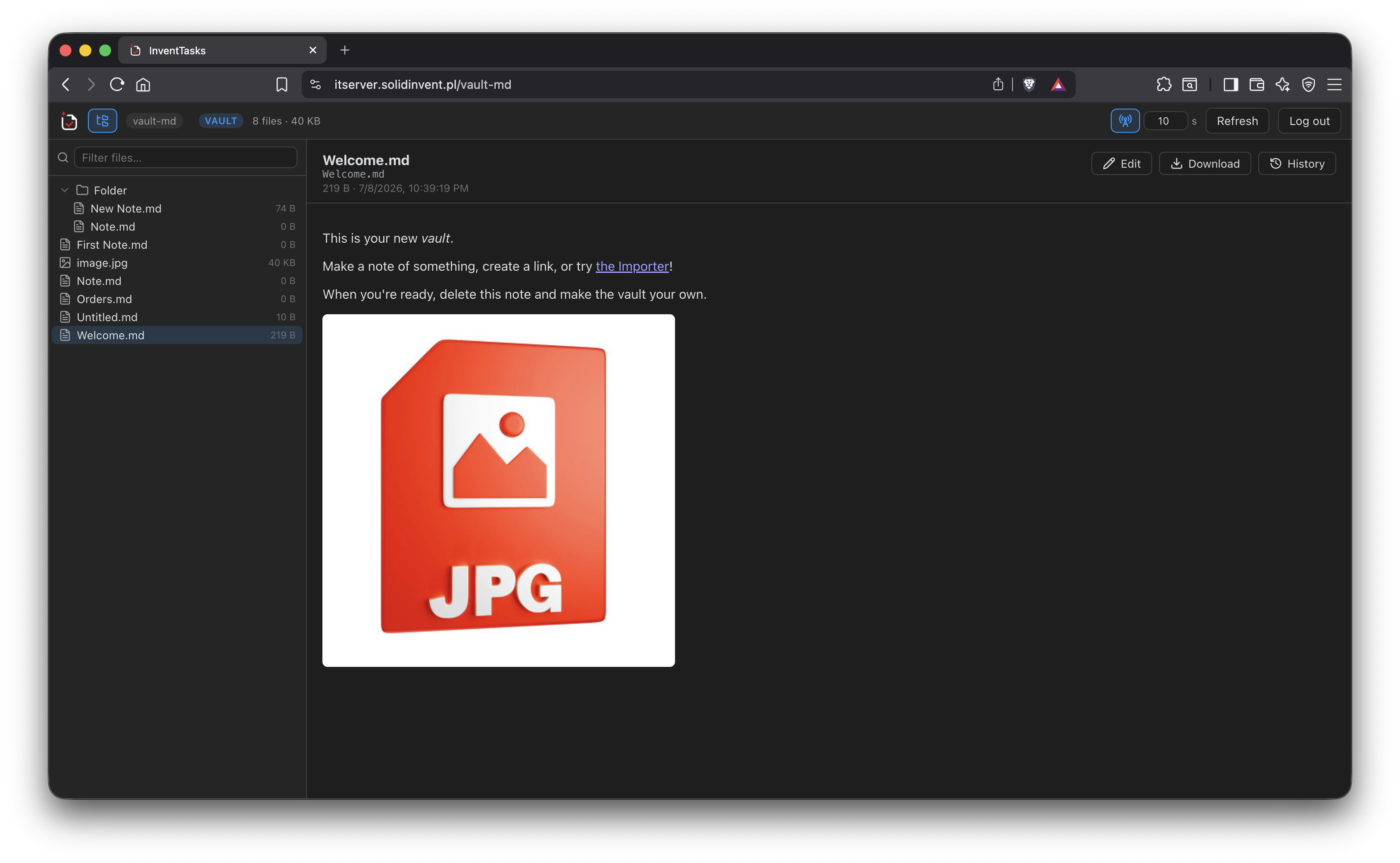
The same container serves a web app on the same origin. Sign in and the vault opens in a browser: file tree, Markdown rendering with working wiki links and embeds, images, audio, video and PDFs, editing, upload and download, and version history with restore.
Which means your notes on a locked-down work laptop or a borrowed machine, with no Obsidian and no plugin installed there — served from your own box, passing through nobody else.
When two devices disagree#
The newer modification time wins, and the version that lost is kept in server history rather than discarded, so "the wrong one won" is a restore rather than a loss. The client can also drop the losing copy next to the file locally.
If a pull would delete an unusual number of files — the classic shape of a sync gone wrong — the server stops and asks, offering to restore, accept, or decide later. It does not quietly empty your vault and report success.
What it costs#
Nothing. No fee now or later, no seat count, no storage plan, no licence key, and company use is included. The terms are written down rather than implied — see the licence, which also says plainly that the source is not public, because you should not have to guess at that.
What it does cost is a machine, which for most people is a Pi, a NAS or a €4 VPS, and about ten minutes.
What you need#
- Docker with the Compose plugin, on something that stays reachable
- The InventTasks plugin on each device — the free tier is a complete sync client, whole-vault sync included. The paid licence governs the task manager, not syncing.
- HTTPS if traffic leaves your network; the bundle ships a Caddy config that handles it
The deployment guide covers reverse proxies, backups, retention, the mass-deletion guard and the REST API.